
def
actionAt
(arg__1)
def
actionGeometry
(arg__1)
def
activeAction
()
def
addAction
(arg__1, arg__2, arg__3[, arg__4=0])
def
addAction
(arg__1, arg__2[, arg__3=0])
def
addAction
(icon, text)
def
addAction
(icon, text, receiver, member[, shortcut=0])
def
addAction
(text)
def
addAction
(text, receiver, member[, shortcut=0])
def
addMenu
(icon, title)
def
addMenu
(menu)
def
addMenu
(title)
def
addSection
(icon, text)
def
addSection
(text)
def
addSeparator
()
def
clear
()
def
columnCount
()
def
defaultAction
()
def
exec_
()
def
exec_
(pos[, at=None])
def
hideTearOffMenu
()
def
icon
()
def
initStyleOption
(option, action)
def
insertMenu
(before, menu)
def
insertSection
(before, icon, text)
def
insertSection
(before, text)
def
insertSeparator
(before)
def
isEmpty
()
def
isTearOffEnabled
()
def
isTearOffMenuVisible
()
def
menuAction
()
def
popup
(pos[, at=None])
def
separatorsCollapsible
()
def
setActiveAction
(act)
def
setDefaultAction
(arg__1)
def
setIcon
(icon)
def
setSeparatorsCollapsible
(collapse)
def
setTearOffEnabled
(arg__1)
def
setTitle
(title)
def
setToolTipsVisible
(visible)
def
showTearOffMenu
()
def
showTearOffMenu
(pos)
def
title
()
def
toolTipsVisible
()
def
aboutToHide
()
def
aboutToShow
()
def
hovered
(action)
def
triggered
(action)
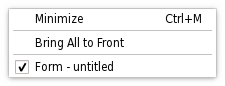
菜单 Widget 是选择菜单。它可以是菜单栏中的下拉菜单,或独立上下文菜单。下拉菜单通过菜单栏展示当用户点击各项或按下指定快捷键时。使用
addMenu()to insert a menu into a menu bar. Context menus are usually invoked by some special keyboard key or by right-clicking. They can be executed either asynchronously withpopup()or synchronously withexec(). Menus can also be invoked in response to button presses; these are just like context menus except for how they are invoked.
A menu consists of a list of action items. Actions are added with the
addAction(),addActions()andinsertAction()functions. An action is represented vertically and rendered byQStyle. In addition, actions can have a text label, an optional icon drawn on the very left side, and shortcut key sequence such as “Ctrl+X”.The existing actions held by a menu can be found with
actions().There are four kinds of action items: separators, actions that show a submenu, widgets, and actions that perform an action. Separators are inserted with
addSeparator(), submenus withaddMenu(), and all other items are considered action items.When inserting action items you usually specify a receiver and a slot. The receiver will be notifed whenever the item is
triggered(). In addition,QMenuprovides two signals,triggered()andhovered(), which signal theQActionthat was triggered from the menu.清零菜单采用
clear()and remove individual action items withremoveAction().A
QMenucan also provide a tear-off menu. A tear-off menu is a top-level window that contains a copy of the menu. This makes it possible for the user to “tear off” frequently used menus and position them in a convenient place on the screen. If you want this functionality for a particular menu, insert a tear-off handle withsetTearOffEnabled(). When using tear-off menus, bear in mind that the concept isn’t typically used on Microsoft Windows so some users may not be familiar with it. Consider using aQToolBar代替。Widgets can be inserted into menus with the
QWidgetActionclass. Instances of this class are used to hold widgets, and are inserted into menus with theaddAction()overload that takes aQAction。若QWidgetActionfires thetriggered()signal, the menu will close.
