注意
该类在 Qt4.6 引入
PySide.QtGui.QGraphicsDropShadowEffect class provides a drop shadow effect.
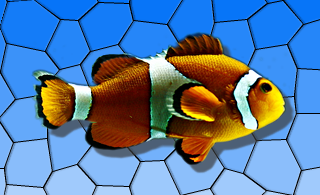
A drop shadow effect renders the source with a drop shadow. The color of the drop shadow can be modified using the PySide.QtGui.QGraphicsDropShadowEffect.setColor() function. The drop shadow offset can be modified using the PySide.QtGui.QGraphicsDropShadowEffect.setOffset() function and the blur radius of the drop shadow can be changed with the PySide.QtGui.QGraphicsDropShadowEffect.setBlurRadius() 函数。
By default, the drop shadow is a semi-transparent dark gray ( PySide.QtGui.QColor (63, 63, 63, 180)) shadow, blurred with a radius of 1 at an offset of 8 pixels towards the lower right. The drop shadow offset is specified in device coordinates.
| 参数: | parent – PySide.QtCore.QObject |
|---|
构造新 PySide.QtGui.QGraphicsDropShadowEffect instance. The parent 参数会被传递给 PySide.QtGui.QGraphicsEffect ‘s constructor.
| 返回类型: | PySide.QtCore.qreal |
|---|
This property holds the blur radius in pixels of the drop shadow..
Using a smaller radius results in a sharper shadow, whereas using a bigger radius results in a more blurred shadow.
By default, the blur radius is 1 pixel.
| 参数: | blurRadius – PySide.QtCore.qreal |
|---|
| 返回类型: | PySide.QtGui.QColor |
|---|
This property holds the color of the drop shadow..
By default, the drop color is a semi-transparent dark gray ( PySide.QtGui.QColor (63, 63, 63, 180)).
| 参数: | color – PySide.QtGui.QColor |
|---|
| 返回类型: | PySide.QtCore.QPointF |
|---|
This property holds the shadow offset in pixels..
By default, the offset is 8 pixels towards the lower right.
The offset is given in device coordinates, which means it is unaffected by scale.
| 参数: | offset – PySide.QtCore.QPointF |
|---|
| 参数: | blurRadius – PySide.QtCore.qreal |
|---|
This property holds the blur radius in pixels of the drop shadow..
Using a smaller radius results in a sharper shadow, whereas using a bigger radius results in a more blurred shadow.
By default, the blur radius is 1 pixel.
| 参数: | color – PySide.QtGui.QColor |
|---|
This property holds the color of the drop shadow..
By default, the drop color is a semi-transparent dark gray ( PySide.QtGui.QColor (63, 63, 63, 180)).
| 参数: |
|
|---|
| 参数: | d – PySide.QtCore.qreal |
|---|
| 参数: | ofs – PySide.QtCore.QPointF |
|---|
This property holds the shadow offset in pixels..
By default, the offset is 8 pixels towards the lower right.
The offset is given in device coordinates, which means it is unaffected by scale.
| 参数: | dx – PySide.QtCore.qreal |
|---|
This property holds the horizontal shadow offset in pixels..
By default, the horizontal shadow offset is 8 pixels.
| 参数: | dy – PySide.QtCore.qreal |
|---|
This property holds the vertical shadow offset in pixels..
By default, the vertical shadow offset is 8 pixels.
| 返回类型: | PySide.QtCore.qreal |
|---|
This property holds the horizontal shadow offset in pixels..
By default, the horizontal shadow offset is 8 pixels.
| 返回类型: | PySide.QtCore.qreal |
|---|
This property holds the vertical shadow offset in pixels..
By default, the vertical shadow offset is 8 pixels.

