注意
该类在 Qt4.6 引入
PySide.QtGui.QGraphicsBlurEffect class provides a blur effect.
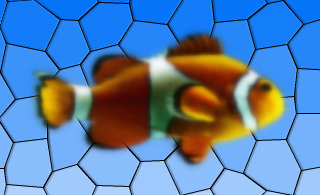
A blur effect blurs the source. This effect is useful for reducing details, such as when the source loses focus and you want to draw attention to other elements. The level of detail can be modified using the PySide.QtGui.QGraphicsBlurEffect.setBlurRadius() function. Use PySide.QtGui.QGraphicsBlurEffect.setBlurHints() to choose the blur hints.
By default, the blur radius is 5 pixels. The blur radius is specified in device coordinates.
| 参数: | parent – PySide.QtCore.QObject |
|---|
构造新 PySide.QtGui.QGraphicsBlurEffect instance. The parent 参数会被传递给 PySide.QtGui.QGraphicsEffect ‘s constructor.
This enum describes the possible hints that can be used to control how blur effects are applied. The hints might not have an effect in all the paint engines.
| 常量 | 描述 |
|---|---|
| QGraphicsBlurEffect.PerformanceHint | Indicates that rendering performance is the most important factor, at the potential cost of lower quality. |
| QGraphicsBlurEffect.QualityHint | Indicates that rendering quality is the most important factor, at the potential cost of lower performance. |
| QGraphicsBlurEffect.AnimationHint | Indicates that the blur radius is going to be animated, hinting that the implementation can keep a cache of blurred verisons of the source. Do not use this hint if the source is going to be dynamically changing. |
| 返回类型: | PySide.QtGui.QGraphicsBlurEffect.BlurHints |
|---|
This property holds the blur hint of the effect..
使用 PerformanceHint hint to say that you want a faster blur, the QualityHint hint to say that you prefer a higher quality blur, or the AnimationHint when you want to animate the blur radius.
By default, the blur hint is PerformanceHint .
| 参数: | hints – PySide.QtGui.QGraphicsBlurEffect.BlurHints |
|---|
| 返回类型: | PySide.QtCore.qreal |
|---|
This property holds the blur radius of the effect..
Using a smaller radius results in a sharper appearance, whereas a bigger radius results in a more blurred appearance.
By default, the blur radius is 5 pixels.
The radius is given in device coordinates, meaning it is unaffected by scale.
| 参数: | blurRadius – PySide.QtCore.qreal |
|---|
| 参数: | hints – PySide.QtGui.QGraphicsBlurEffect.BlurHints |
|---|
This property holds the blur hint of the effect..
使用 PerformanceHint hint to say that you want a faster blur, the QualityHint hint to say that you prefer a higher quality blur, or the AnimationHint when you want to animate the blur radius.
By default, the blur hint is PerformanceHint .
| 参数: | blurRadius – PySide.QtCore.qreal |
|---|
This property holds the blur radius of the effect..
Using a smaller radius results in a sharper appearance, whereas a bigger radius results in a more blurred appearance.
By default, the blur radius is 5 pixels.
The radius is given in device coordinates, meaning it is unaffected by scale.

