注意
该类在 Qt4.6 引入
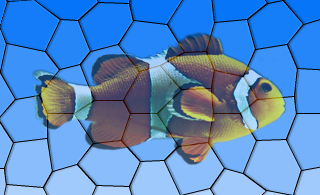
PySide.QtGui.QGraphicsOpacityEffect class provides an opacity effect.
An opacity effect renders the source with an opacity. This effect is useful for making the source semi-transparent, similar to a fade-in/fade-out sequence. The opacity can be modified using the PySide.QtGui.QGraphicsOpacityEffect.setOpacity() 函数。
默认情况下,不透明度是 0.7。
| 参数: | parent – PySide.QtCore.QObject |
|---|
构造新 PySide.QtGui.QGraphicsOpacityEffect instance. The parent 参数会被传递给 PySide.QtGui.QGraphicsEffect ‘s constructor.
| 返回类型: | PySide.QtCore.qreal |
|---|
This property holds the opacity of the effect..
The value should be in the range of 0.0 to 1.0, where 0.0 is fully transparent and 1.0 is fully opaque.
默认情况下,不透明度是 0.7。
| 参数: | opacity – PySide.QtCore.qreal |
|---|
| 返回类型: | PySide.QtGui.QBrush |
|---|
This property holds the opacity mask of the effect..
An opacity mask allows you apply opacity to portions of an element.
例如:
# ...
alphaGradient = QLinearGradient(rect.topLeft(), rect.bottomLeft())
alphaGradient.setColorAt(0.0, Qt.transparent)
alphaGradient.setColorAt(0.5, Qt.black)
alphaGradient.setColorAt(1.0, Qt.transparent)
effect = QGraphicsOpacityEffect()
effect.setOpacityMask(alphaGradient)
# ...
There is no opacity mask by default.
| 参数: | mask – PySide.QtGui.QBrush |
|---|
| 参数: | opacity – PySide.QtCore.qreal |
|---|
This property holds the opacity of the effect..
The value should be in the range of 0.0 to 1.0, where 0.0 is fully transparent and 1.0 is fully opaque.
默认情况下,不透明度是 0.7。
| 参数: | mask – PySide.QtGui.QBrush |
|---|
This property holds the opacity mask of the effect..
An opacity mask allows you apply opacity to portions of an element.
例如:
# ...
alphaGradient = QLinearGradient(rect.topLeft(), rect.bottomLeft())
alphaGradient.setColorAt(0.0, Qt.transparent)
alphaGradient.setColorAt(0.5, Qt.black)
alphaGradient.setColorAt(1.0, Qt.transparent)
effect = QGraphicsOpacityEffect()
effect.setOpacityMask(alphaGradient)
# ...
There is no opacity mask by default.

