继承者: QUndoView , QListWidget , QHelpIndexWidget
PySide.QtGui.QListView class provides a list or icon view onto a model.
A PySide.QtGui.QListView presents items stored in a model, either as a simple non-hierarchical list, or as a collection of icons. This class is used to provide lists and icon views that were previously provided by the QListBox and QIconView 类,但使用由 Qt 模型/视图体系结构提供的方式更灵活。
PySide.QtGui.QListView class is one of the 模型/视图类 且属于 Qt 的 模型/视图框架 .
此视图不显示水平或垂直标题;要显示具有水平标题的项列表,使用 PySide.QtGui.QTreeView 代替。
PySide.QtGui.QListView implements the interfaces defined by the PySide.QtGui.QAbstractItemView 类以允许它显示提供数据,通过模型派生自 PySide.QtCore.QAbstractItemModel 类。
Items in a list view can be displayed using one of two view modes: In ListMode , the items are displayed in the form of a simple list; in IconMode , the list view takes the form of an icon view in which the items are displayed with icons like files in a file manager. By default, the list view is in ListMode . To change the view mode, use the PySide.QtGui.QListView.setViewMode() function, and to determine the current view mode, use PySide.QtGui.QListView.viewMode() .
Items in these views are laid out in the direction specified by the PySide.QtGui.QListView.flow() of the list view. The items may be fixed in place, or allowed to move, depending on the view's PySide.QtGui.QListView.movement() 状态。
If the items in the model cannot be completely laid out in the direction of flow, they can be wrapped at the boundary of the view widget; this depends on PySide.QtGui.QListView.isWrapping() . This property is useful when the items are being represented by an icon view.
PySide.QtGui.QListView.resizeMode() and PySide.QtGui.QListView.layoutMode() govern how and when the items are laid out. Items are spaced according to their PySide.QtGui.QListView.spacing() , and can exist within a notional grid of size specified by PySide.QtGui.QListView.gridSize() . The items can be rendered as large or small icons depending on their PySide.QtGui.QAbstractItemView.iconSize() .
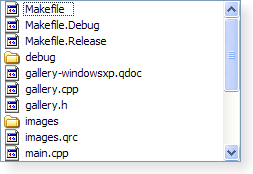
|
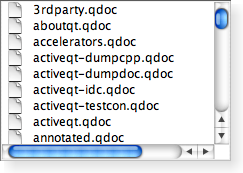
|
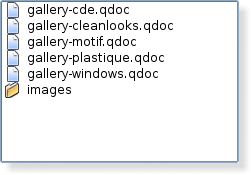
|
| A Windows XP style list view. | A Macintosh style list view. | A Plastique style list view. |
It is possible to give the view hints about the data it is handling in order to improve its performance when displaying large numbers of items. One approach that can be taken for views that are intended to display items with equal sizes is to set the PySide.QtGui.QListView.uniformItemSizes() property to true.
| 参数: | parent – PySide.QtGui.QWidget |
|---|
创建新 PySide.QtGui.QListView 采用给定 parent to view a model. Use PySide.QtGui.QAbstractItemView.setModel() to set the model.
| 常量 | 描述 |
|---|---|
| QListView.Fixed | The items will only be laid out the first time the view is shown. |
| QListView.Adjust | The items will be laid out every time the view is resized. |
| 常量 | 描述 |
|---|---|
| QListView.SinglePass | 一次性布局所有项。 |
| QListView.Batched | The items are laid out in batches of PySide.QtGui.QListView.batchSize() 项。 |
| 常量 | 描述 |
|---|---|
| QListView.ListMode | The items are laid out using TopToBottom flow, with Small size and Static movement |
| QListView.IconMode | The items are laid out using LeftToRight flow, with Large size and Free movement |
| 常量 | 描述 |
|---|---|
| QListView.LeftToRight | The items are laid out in the view from the left to the right. |
| QListView.TopToBottom | The items are laid out in the view from the top to the bottom. |
| 常量 | 描述 |
|---|---|
| QListView.Static | The items cannot be moved by the user. |
| QListView.Free | The items can be moved freely by the user. |
| QListView.Snap | The items snap to the specified grid when moved; see PySide.QtGui.QListView.setGridSize() . |
| 返回类型: | PySide.QtCore.int |
|---|
This property holds the number of items laid out in each batch if PySide.QtGui.QListView.layoutMode() is set to Batched .
The default value is 100.
清零 PySide.QtGui.QListView -specific property flags. See PySide.QtGui.QListView.viewMode() .
Properties inherited from PySide.QtGui.QAbstractItemView are not covered by the property flags. Specifically, PySide.QtGui.QAbstractItemView.dragEnabled() and acceptsDrops are computed by PySide.QtGui.QListView when calling PySide.QtGui.QListView.setMovement() or PySide.QtGui.QListView.setViewMode() .
| 返回类型: | PySide.QtCore.QSize |
|---|
| 返回类型: | PySide.QtGui.QListView.Flow |
|---|
This property holds which direction the items layout should flow..
若此特性为 LeftToRight , the items will be laid out left to right. If the PySide.QtGui.QListView.isWrapping() property is true, the layout will wrap when it reaches the right side of the visible area. If this property is TopToBottom , the items will be laid out from the top of the visible area, wrapping when it reaches the bottom.
设置此特性将导致项被再次布局,当视图可见时。
默认情况下,此特性被设为 TopToBottom .
| 返回类型: | PySide.QtCore.QSize |
|---|
This property holds the size of the layout grid.
This property is the size of the grid in which the items are laid out. The default is an empty size which means that there is no grid and the layout is not done in a grid. Setting this property to a non-empty size switches on the grid layout. (When a grid layout is in force the PySide.QtGui.QListView.spacing() property is ignored.)
设置此特性将导致项被再次布局,当视图可见时。
| 参数: | indexes – PySide.QtCore.QModelIndexList |
|---|
| 参数: | supportedActions – PySide.QtCore.Qt.DropActions |
|---|
| 参数: | e – PySide.QtGui.QDropEvent |
|---|
Called whenever items from the view is dropped on the viewport. The event provides additional information.
| 参数: | row – PySide.QtCore.int |
|---|---|
| 返回类型: | PySide.QtCore.bool |
返回 true 若 row is hidden; otherwise returns false.
| 返回类型: | PySide.QtCore.bool |
|---|
This property holds if the selection rectangle should be visible.
If this property is true then the selection rectangle is visible; otherwise it will be hidden.
注意
The selection rectangle will only be visible if the selection mode is in a mode where more than one item can be selected; i.e., it will not draw a selection rectangle if the selection mode is QAbstractItemView.SingleSelection .
默认情况下,此特性为 false。
| 返回类型: | PySide.QtCore.bool |
|---|
This property holds whether the items layout should wrap..
This property holds whether the layout should wrap when there is no more space in the visible area. The point at which the layout wraps depends on the PySide.QtGui.QListView.flow() 特性。
设置此特性将导致项被再次布局,当视图可见时。
默认情况下,此特性为 false。
| 返回类型: | PySide.QtGui.QListView.LayoutMode |
|---|
This property determines whether the layout of items should happen immediately or be delayed..
This property holds the layout mode for the items. When the mode is SinglePass (the default), the items are laid out all in one go. When the mode is Batched , the items are laid out in batches of PySide.QtGui.QListView.batchSize() items, while processing events. This makes it possible to instantly view and interact with the visible items while the rest are being laid out.
| 返回类型: | PySide.QtCore.int |
|---|
此特性保持可见模型列。
By default, this property contains 0, indicating that the first column in the model will be shown.
| 返回类型: | PySide.QtGui.QListView.Movement |
|---|
This property holds whether the items can be moved freely, are snapped to a grid, or cannot be moved at all..
This property determines how the user can move the items in the view. Static means that the items can't be moved the user. Free means that the user can drag and drop the items to any position in the view. Snap means that the user can drag and drop the items, but only to the positions in a notional grid signified by the PySide.QtGui.QListView.gridSize() 特性。
设置此特性将导致项被再次布局,当视图可见时。
默认情况下,此特性被设为 Static .
| 参数: | index – PySide.QtCore.QModelIndex |
|---|---|
| 返回类型: | PySide.QtCore.QRect |
Returns the rectangle of the item at position index in the model. The rectangle is in contents coordinates.
另请参阅
PySide.QtGui.QListView.visualRect()
| 参数: |
|
|---|
Resize the internal contents to width and height and set the scroll bar ranges accordingly.
| 返回类型: | PySide.QtGui.QListView.ResizeMode |
|---|
This property holds whether the items are laid out again when the view is resized..
若此特性为 Adjust , the items will be laid out again when the view is resized. If the value is Fixed , the items will not be laid out when the view is resized.
默认情况下,此特性被设为 Fixed .
| 参数: | batchSize – PySide.QtCore.int |
|---|
This property holds the number of items laid out in each batch if PySide.QtGui.QListView.layoutMode() is set to Batched .
The default value is 100.
| 参数: | flow – PySide.QtGui.QListView.Flow |
|---|
This property holds which direction the items layout should flow..
若此特性为 LeftToRight , the items will be laid out left to right. If the PySide.QtGui.QListView.isWrapping() property is true, the layout will wrap when it reaches the right side of the visible area. If this property is TopToBottom , the items will be laid out from the top of the visible area, wrapping when it reaches the bottom.
设置此特性将导致项被再次布局,当视图可见时。
默认情况下,此特性被设为 TopToBottom .
| 参数: | size – PySide.QtCore.QSize |
|---|
This property holds the size of the layout grid.
This property is the size of the grid in which the items are laid out. The default is an empty size which means that there is no grid and the layout is not done in a grid. Setting this property to a non-empty size switches on the grid layout. (When a grid layout is in force the PySide.QtGui.QListView.spacing() property is ignored.)
设置此特性将导致项被再次布局,当视图可见时。
| 参数: | mode – PySide.QtGui.QListView.LayoutMode |
|---|
This property determines whether the layout of items should happen immediately or be delayed..
This property holds the layout mode for the items. When the mode is SinglePass (the default), the items are laid out all in one go. When the mode is Batched , the items are laid out in batches of PySide.QtGui.QListView.batchSize() items, while processing events. This makes it possible to instantly view and interact with the visible items while the rest are being laid out.
| 参数: | column – PySide.QtCore.int |
|---|
此特性保持可见模型列。
By default, this property contains 0, indicating that the first column in the model will be shown.
| 参数: | movement – PySide.QtGui.QListView.Movement |
|---|
This property holds whether the items can be moved freely, are snapped to a grid, or cannot be moved at all..
This property determines how the user can move the items in the view. Static means that the items can't be moved the user. Free means that the user can drag and drop the items to any position in the view. Snap means that the user can drag and drop the items, but only to the positions in a notional grid signified by the PySide.QtGui.QListView.gridSize() 特性。
设置此特性将导致项被再次布局,当视图可见时。
默认情况下,此特性被设为 Static .
| 参数: |
|
|---|
Sets the contents position of the item at index in the model to the given position . If the list view's movement mode is Static or its view mode is ListView , this function will have no effect.
| 参数: | mode – PySide.QtGui.QListView.ResizeMode |
|---|
This property holds whether the items are laid out again when the view is resized..
若此特性为 Adjust , the items will be laid out again when the view is resized. If the value is Fixed , the items will not be laid out when the view is resized.
默认情况下,此特性被设为 Fixed .
| 参数: |
|
|---|
若 hide is true, the given row will be hidden; otherwise the row will be shown.
| 参数: | show – PySide.QtCore.bool |
|---|
This property holds if the selection rectangle should be visible.
If this property is true then the selection rectangle is visible; otherwise it will be hidden.
注意
The selection rectangle will only be visible if the selection mode is in a mode where more than one item can be selected; i.e., it will not draw a selection rectangle if the selection mode is QAbstractItemView.SingleSelection .
默认情况下,此特性为 false。
| 参数: | space – PySide.QtCore.int |
|---|
This property holds the space around the items in the layout.
This property is the size of the empty space that is padded around an item in the layout.
设置此特性将导致项被再次布局,当视图可见时。
默认情况下,此特性包含 0 值。
| 参数: | enable – PySide.QtCore.bool |
|---|
This property holds whether all items in the listview have the same size.
This property should only be set to true if it is guaranteed that all items in the view have the same size. This enables the view to do some optimizations for performance purposes.
默认情况下,此特性为 false。
| 参数: | mode – PySide.QtGui.QListView.ViewMode |
|---|
This property holds the view mode of the PySide.QtGui.QListView ..
This property will change the other unset properties to conform with the set view mode. PySide.QtGui.QListView -specific properties that have already been set will not be changed, unless PySide.QtGui.QListView.clearPropertyFlags() has been called.
Setting the view mode will enable or disable drag and drop based on the selected movement. For ListMode , the default movement is Static (drag and drop disabled); for IconMode , the default movement is Free (drag and drop enabled).
| 参数: | on – PySide.QtCore.bool |
|---|
This property holds the item text word-wrapping policy.
If this property is true then the item text is wrapped where necessary at word-breaks; otherwise it is not wrapped at all. This property is false by default.
Please note that even if wrapping is enabled, the cell will not be expanded to make room for the text. It will print ellipsis for text that cannot be shown, according to the view's PySide.QtGui.QAbstractItemView.textElideMode() .
| 参数: | enable – PySide.QtCore.bool |
|---|
This property holds whether the items layout should wrap..
This property holds whether the layout should wrap when there is no more space in the visible area. The point at which the layout wraps depends on the PySide.QtGui.QListView.flow() 特性。
设置此特性将导致项被再次布局,当视图可见时。
默认情况下,此特性为 false。
| 返回类型: | PySide.QtCore.int |
|---|
This property holds the space around the items in the layout.
This property is the size of the empty space that is padded around an item in the layout.
设置此特性将导致项被再次布局,当视图可见时。
默认情况下,此特性包含 0 值。
| 返回类型: | PySide.QtCore.bool |
|---|
This property holds whether all items in the listview have the same size.
This property should only be set to true if it is guaranteed that all items in the view have the same size. This enables the view to do some optimizations for performance purposes.
默认情况下,此特性为 false。
| 返回类型: | PySide.QtGui.QListView.ViewMode |
|---|
This property holds the view mode of the PySide.QtGui.QListView ..
This property will change the other unset properties to conform with the set view mode. PySide.QtGui.QListView -specific properties that have already been set will not be changed, unless PySide.QtGui.QListView.clearPropertyFlags() has been called.
Setting the view mode will enable or disable drag and drop based on the selected movement. For ListMode , the default movement is Static (drag and drop disabled); for IconMode , the default movement is Free (drag and drop enabled).
| 参数: | index – PySide.QtCore.QModelIndex |
|---|---|
| 返回类型: | PySide.QtCore.int |
| 返回类型: | PySide.QtCore.bool |
|---|
This property holds the item text word-wrapping policy.
If this property is true then the item text is wrapped where necessary at word-breaks; otherwise it is not wrapped at all. This property is false by default.
Please note that even if wrapping is enabled, the cell will not be expanded to make room for the text. It will print ellipsis for text that cannot be shown, according to the view's PySide.QtGui.QAbstractItemView.textElideMode() .

