PySide.QtGui.QTableWidget class provides an item-based table view with a default model.
Table widgets provide standard table display facilities for applications. The items in a PySide.QtGui.QTableWidget are provided by PySide.QtGui.QTableWidgetItem .
若希望表格使用您自己的数据模型,应使用 PySide.QtGui.QTableView 而不是此类。
可以采用所需行数和列数构造表格 Widget:
tableWidget = QTableWidget(12, 3, self)
另外,可以在不给定尺寸的情况下构建表格并稍后重置尺寸:
tableWidget = QTableWidget()
tableWidget.setRowCount(10)
tableWidget.setColumnCount(5)
Items are created ouside the table (with no parent widget) and inserted into the table with PySide.QtGui.QTableWidget.setItem() :
newItem = QTableWidgetItem(tr("%s" % ((row+1)*(column+1))))
tableWidget.setItem(row, column, newItem)
If you want to enable sorting in your table widget, do so after you have populated it with items, otherwise sorting may interfere with the insertion order (see PySide.QtGui.QTableWidget.setItem() 了解细节)。
Tables can be given both horizontal and vertical headers. The simplest way to create the headers is to supply a list of strings to the PySide.QtGui.QTableWidget.setHorizontalHeaderLabels() and PySide.QtGui.QTableWidget.setVerticalHeaderLabels() functions. These will provide simple textual headers for the table's columns and rows. More sophisticated headers can be created from existing table items that are usually constructed outside the table. For example, we can construct a table item with an icon and aligned text, and use it as the header for a particular column:
cubesHeaderItem = QTableWidgetItem(tr("Cubes"))
cubesHeaderItem.setIcon(QIcon(QPixmap(":/Images/cubed.png")))
cubesHeaderItem.setTextAlignment(Qt::AlignVCenter)
The number of rows in the table can be found with PySide.QtGui.QTableWidget.rowCount() , and the number of columns with PySide.QtGui.QTableWidget.columnCount() . The table can be cleared with the PySide.QtGui.QTableWidget.clear() 函数。
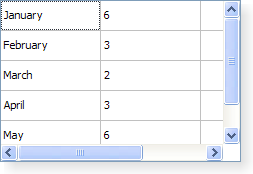
|
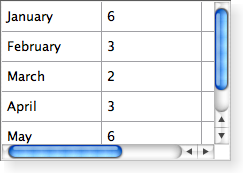
|
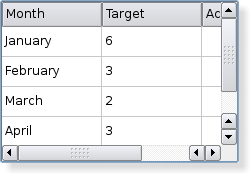
|
| A Windows XP style table widget. | A Macintosh style table widget. | A Plastique style table widget. |
另请参阅
PySide.QtGui.QTableWidgetItem PySide.QtGui.QTableView 模型/视图编程
| 参数: |
|
|---|
创建新的表格视图,采用给定 parent .
创建新的表格视图,采用给定 rows and columns ,和采用给定 parent .
| 参数: |
|
|---|
| 参数: |
|
|---|
| 参数: |
|
|---|
| 参数: |
|
|---|
| 参数: |
|
|---|
| 参数: |
|
|---|
| 参数: |
|
|---|---|
| 返回类型: |
返回单元格显示 Widget,在给定 row and column .
注意
表格拥有 Widget 的所有权。
Removes all items in the view. This will also remove all selections. The table dimensions stay the same.
Removes all items not in the headers from the view. This will also remove all selections. The table dimensions stay the same.
| 参数: | item – PySide.QtGui.QTableWidgetItem |
|---|
关闭持久编辑器为 item .
| 参数: | item – PySide.QtGui.QTableWidgetItem |
|---|---|
| 返回类型: | PySide.QtCore.int |
返回列号为 item .
| 返回类型: | PySide.QtCore.int |
|---|
This property holds the number of columns in the table.
By default, for a table constructed without row and column counts, this property contains a value of 0.
| 参数: |
|
|---|
| 返回类型: | PySide.QtCore.int |
|---|
返回当前项的列号。
| 返回类型: | PySide.QtGui.QTableWidgetItem |
|---|
返回当前项。
| 参数: |
|
|---|
| 返回类型: | PySide.QtCore.int |
|---|
返回当前项的行号。
| 参数: |
|
|---|---|
| 返回类型: |
PySide.QtCore.bool |
| 参数: | item – PySide.QtGui.QTableWidgetItem |
|---|
开始编辑 item 若它可编辑。
| 参数: |
|
|---|---|
| 返回类型: |
| 参数: | column – PySide.QtCore.int |
|---|---|
| 返回类型: | PySide.QtGui.QTableWidgetItem |
Returns the horizontal header item for column, column , if one has been set; otherwise returns 0.
| 参数: | item – PySide.QtGui.QTableWidgetItem |
|---|---|
| 返回类型: | PySide.QtCore.QModelIndex |
返回 PySide.QtCore.QModelIndex assocated with the given item .
| 参数: | column – PySide.QtCore.int |
|---|
把空列插入表格,位置 column .
| 参数: | row – PySide.QtCore.int |
|---|
把空行插入表格,位置 row .
| 参数: |
|
|---|---|
| 返回类型: |
返回项为给定 row and column if one has been set; otherwise returns 0.
| 参数: | item – PySide.QtGui.QTableWidgetItem |
|---|
| 参数: |
|
|---|---|
| 返回类型: |
Returns the item at the position equivalent to PySide.QtCore.QPoint ( ax , ay ) in the table widget's coordinate system, or returns 0 if the specified point is not covered by an item in the table widget.
| 参数: | p – PySide.QtCore.QPoint |
|---|---|
| 返回类型: | PySide.QtGui.QTableWidgetItem |
Returns a pointer to the item at the given point , or returns 0 if point is not covered by an item in the table widget.
| 参数: | item – PySide.QtGui.QTableWidgetItem |
|---|
| 参数: | item – PySide.QtGui.QTableWidgetItem |
|---|
| 参数: | item – PySide.QtGui.QTableWidgetItem |
|---|
| 参数: | item – PySide.QtGui.QTableWidgetItem |
|---|
| 参数: | index – PySide.QtCore.QModelIndex |
|---|---|
| 返回类型: | PySide.QtGui.QTableWidgetItem |
返回指针指向 PySide.QtGui.QTableWidgetItem assocated with the given index .
| 参数: | item – PySide.QtGui.QTableWidgetItem |
|---|
| 返回类型: | PySide.QtGui.QTableWidgetItem |
|---|
Returns the item prototype used by the table.
| 参数: | data – PySide.QtCore.QMimeData |
|---|---|
| 返回类型: |
Returns a list of pointers to the items contained in the data object. If the object was not created by a PySide.QtGui.QTreeWidget in the same process, the list is empty.
| 参数: | items – |
|---|---|
| 返回类型: | PySide.QtCore.QMimeData |
| 返回类型: | 字符串列表 |
|---|
Returns a list of MIME types that can be used to describe a list of tablewidget items.
| 参数: | item – PySide.QtGui.QTableWidgetItem |
|---|
Opens an editor for the give item . The editor remains open after editing.
| 参数: |
|
|---|
Removes the widget set on the cell indicated by row and column .
| 参数: | column – PySide.QtCore.int |
|---|
移除列 column 及表格中的所有项。
| 参数: | row – PySide.QtCore.int |
|---|
移除行 row 及表格中的所有项。
| 参数: | item – PySide.QtGui.QTableWidgetItem |
|---|---|
| 返回类型: | PySide.QtCore.int |
Returns the row for the item .
| 返回类型: | PySide.QtCore.int |
|---|
This property holds the number of rows in the table.
By default, for a table constructed without row and column counts, this property contains a value of 0.
| 参数: |
|---|
| 返回类型: |
|---|
Returns a list of all selected items.
This function returns a list of pointers to the contents of the selected cells. Use the PySide.QtGui.QTableView.selectedIndexes() function to retrieve the complete selection 包括 empty cells.
另请参阅
PySide.QtGui.QTableView.selectedIndexes()
| 返回类型: |
|---|
Returns a list of all selected ranges.
| 参数: |
|
|---|
设置给定 widget to be displayed in the cell in the given row and column , passing the ownership of the widget to the table.
If cell widget A is replaced with cell widget B, cell widget A will be deleted. For example, in the code snippet below, the PySide.QtGui.QLineEdit object will be deleted.
setCellWidget(index, QLineEdit())
...
setCellWidget(index, QTextEdit())
| 参数: | columns – PySide.QtCore.int |
|---|
This property holds the number of columns in the table.
By default, for a table constructed without row and column counts, this property contains a value of 0.
| 参数: |
|
|---|
| 参数: |
|
|---|
Sets the current cell to be the cell at position ( row , column ).
Depending on the current selection mode , the cell may also be selected.
| 参数: |
|
|---|
| 参数: | item – PySide.QtGui.QTableWidgetItem |
|---|
Sets the current item to item .
除非选定模式为 NoSelection , the item is also be selected.
| 参数: |
|
|---|
Sets the horizontal header item for column column to item .
| 参数: | labels – list of strings |
|---|
设置水平 Header 头标签,使用 labels .
| 参数: |
|
|---|
Sets the item for the given row and column to item .
The table takes ownership of the item.
Note that if sorting is enabled (see PySide.QtGui.QTableView.sortingEnabled() ) and column is the current sort column, the row will be moved to the sorted position determined by item .
If you want to set several items of a particular row (say, by calling PySide.QtGui.QTableWidget.setItem() in a loop), you may want to turn off sorting before doing so, and turn it back on afterwards; this will allow you to use the same row argument for all items in the same row (i.e. PySide.QtGui.QTableWidget.setItem() will not move the row).
| 参数: | item – PySide.QtGui.QTableWidgetItem |
|---|
Sets the item prototype for the table to the specified item .
The table widget will use the item prototype clone function when it needs to create a new table item. For example when the user is editing in an empty cell. This is useful when you have a PySide.QtGui.QTableWidgetItem subclass and want to make sure that PySide.QtGui.QTableWidget creates instances of your subclass.
The table takes ownership of the prototype.
| 参数: |
|
|---|
Selects or deselects the range depending on select .
| 参数: | rows – PySide.QtCore.int |
|---|
This property holds the number of rows in the table.
By default, for a table constructed without row and column counts, this property contains a value of 0.
| 参数: |
|
|---|
Sets the vertical header item for row row to item .
| 参数: | labels – list of strings |
|---|
Sets the vertical header labels using labels .
| 参数: |
|
|---|
| 返回类型: | PySide.QtCore.Qt.DropActions |
|---|
返回由此视图所支持的掉落动作。
另请参阅
Qt.DropActions
| 参数: | column – PySide.QtCore.int |
|---|---|
| 返回类型: | PySide.QtGui.QTableWidgetItem |
Removes the horizontal header item at column 从头部而不删除它。
| 参数: |
|
|---|---|
| 返回类型: |
移除项在 row and column from the table without deleting it.
| 参数: | row – PySide.QtCore.int |
|---|---|
| 返回类型: | PySide.QtGui.QTableWidgetItem |
移除垂直 Header 头部项在 row 从头部而不删除它。
| 参数: | row – PySide.QtCore.int |
|---|---|
| 返回类型: | PySide.QtGui.QTableWidgetItem |
Returns the vertical header item for row row .
| 参数: | logicalColumn – PySide.QtCore.int |
|---|---|
| 返回类型: | PySide.QtCore.int |
Returns the visual column of the given logicalColumn .
| 参数: | item – PySide.QtGui.QTableWidgetItem |
|---|---|
| 返回类型: | PySide.QtCore.QRect |
返回项所占据的视口矩形在 item .
| 参数: | logicalRow – PySide.QtCore.int |
|---|---|
| 返回类型: | PySide.QtCore.int |
Returns the visual row of the given logicalRow .

