演示图形视图场景中的锚点布局。
The Simple Anchor Layout example shows the basic use of the
QGraphicsAnchorLayout类。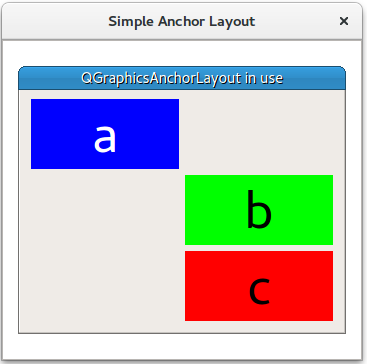
The example starts by creating a
QGraphicsScene(scene), 3 widgets (a,b,和c), and a QGraphicsAnchorlayout (layout).First it anchors the top left corner of item
ato the top left corner oflayout. This can be done in two steps:Or in one step:
Then the right anchor of
ais anchored to the left anchor ofb, and the top of itembis anchored to the bottom ofa.Place a third widget
cunder widgetb:Items
bandcare anchored to each other horizontally:Item c is anchored to the bottom right point of
layout最后, QGraphicsWidget
wis displayed inQGraphicsViewview.另请参阅
