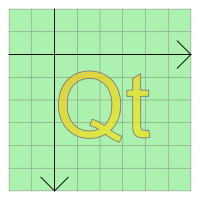
PySide.QtGui.QGraphicsSimpleTextItem class provides a simple text path item that you can add to a PySide.QtGui.QGraphicsScene .
To set the item's text, you can either pass a PySide.QtCore.QString to PySide.QtGui.QGraphicsSimpleTextItem ‘s constructor, or call PySide.QtGui.QGraphicsSimpleTextItem.setText() to change the text later. To set the text fill color, call PySide.QtGui.QAbstractGraphicsShapeItem.setBrush() .
The simple text item can have both a fill and an outline; PySide.QtGui.QAbstractGraphicsShapeItem.setBrush() will set the text fill (i.e., text color), and PySide.QtGui.QAbstractGraphicsShapeItem.setPen() sets the pen that will be used to draw the text outline. (The latter can be slow, especially for complex pens, and items with long text content.) If all you want is to draw a simple line of text, you should call PySide.QtGui.QAbstractGraphicsShapeItem.setBrush() only, and leave the pen unset; PySide.QtGui.QGraphicsSimpleTextItem ‘s pen is by default Qt.NoPen .
PySide.QtGui.QGraphicsSimpleTextItem uses the text's formatted size and the associated font to provide a reasonable implementation of PySide.QtGui.QGraphicsSimpleTextItem.boundingRect() , PySide.QtGui.QGraphicsSimpleTextItem.shape() ,和 PySide.QtGui.QGraphicsSimpleTextItem.contains() . You can set the font by calling PySide.QtGui.QGraphicsSimpleTextItem.setFont() .
QGraphicsSimpleText 不显示富文本;相反,可使用 PySide.QtGui.QGraphicsTextItem ,其提供完整文本控制能力。
| 参数: |
|
|---|
| 返回类型: | PySide.QtGui.QFont |
|---|
返回用于绘制项文本的字体。
| 参数: | font – PySide.QtGui.QFont |
|---|
Sets the font that is used to draw the item's text to font .
| 参数: | text – unicode |
|---|
Sets the item's text to text . The text will be displayed as plain text. Newline characters (‘n') as well as characters of type QChar.LineSeparator will cause item to break the text into multiple lines.
| 返回类型: | unicode |
|---|
返回项的文本。

