PySide.QtGui.QGraphicsPathItem class provides a path item that you can add to a PySide.QtGui.QGraphicsScene .
要设置项的路径,传递 PySide.QtGui.QPainterPath to PySide.QtGui.QGraphicsPathItem ‘s constructor, or call the PySide.QtGui.QGraphicsPathItem.setPath() function. The PySide.QtGui.QGraphicsPathItem.path() function returns the current path.
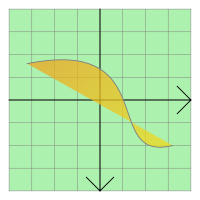
PySide.QtGui.QGraphicsPathItem uses the path to provide a reasonable implementation of PySide.QtGui.QGraphicsPathItem.boundingRect() , PySide.QtGui.QGraphicsPathItem.shape() ,和 PySide.QtGui.QGraphicsPathItem.contains() 。 PySide.QtGui.QGraphicsPathItem.paint() function draws the path using the item's associated pen and brush, which you can set by calling the PySide.QtGui.QAbstractGraphicsShapeItem.setPen() and PySide.QtGui.QAbstractGraphicsShapeItem.setBrush() 函数。
| 参数: |
|
|---|
| 返回类型: | PySide.QtGui.QPainterPath |
|---|
将项的路径返回作为 PySide.QtGui.QPainterPath 。若未设置项,空 PySide.QtGui.QPainterPath 被返回。
| 参数: | path – PySide.QtGui.QPainterPath |
|---|
将项的路径设为给定 path .

