PySide.QtGui.QGraphicsLineItem class provides a line item that you can add to a PySide.QtGui.QGraphicsScene .
要设置项的线条,传递 PySide.QtCore.QLineF to PySide.QtGui.QGraphicsLineItem ‘s constructor, or call the PySide.QtGui.QGraphicsLineItem.setLine() function. The PySide.QtGui.QGraphicsLineItem.line() function returns the current line. By default the line is black with a width of 0, but you can change this by calling PySide.QtGui.QGraphicsLineItem.setPen() .
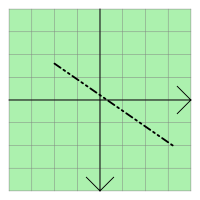
PySide.QtGui.QGraphicsLineItem uses the line and the pen width to provide a reasonable implementation of PySide.QtGui.QGraphicsLineItem.boundingRect() , PySide.QtGui.QGraphicsLineItem.shape() ,和 PySide.QtGui.QGraphicsLineItem.contains() 。 PySide.QtGui.QGraphicsLineItem.paint() function draws the line using the item's associated pen.
| 参数: |
|
|---|
| 返回类型: | PySide.QtCore.QLineF |
|---|
返回项的线条,或 null 线条若未设置线条。
| 返回类型: | PySide.QtGui.QPen |
|---|
返回项的钢笔,或黑色 0 宽度实心钢笔若未设置钢笔。
| 参数: |
|
|---|
这是重载函数。
Sets the item's line to be the line between ( x1 , y1 ) 和 ( x2 , y2 ).
这如同调用 setLine(QLineF(x1, y1, x2, y2)) .
| 参数: | line – PySide.QtCore.QLineF |
|---|
将项的线条设为给定 line .
| 参数: | pen – PySide.QtGui.QPen |
|---|
将项的钢笔设为 pen 。若未设置钢笔,将使用黑色 0 宽度实心钢笔绘制线条。

