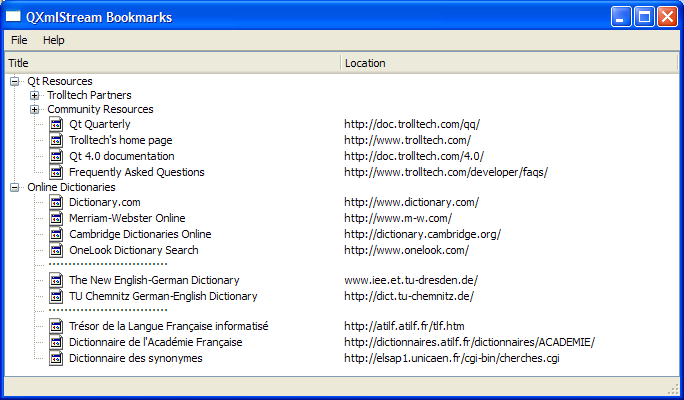
XbelReader
constructor accepts a
QTreeWidget
to initialize the
treeWidget
within its definition. A
QStyle
object is used to set
treeWidget
‘s style property. The
folderIcon
is set to
Normal
mode where the pixmap is only displayed when the user is not interacting with the icon. The
SP_DirClosedIcon
,
SP_DirOpenIcon
,和
SP_FileIcon
correspond to standard pixmaps that follow the style of your GUI.
XbelReader::XbelReader(QTreeWidget *treeWidget)
    : treeWidget(treeWidget)
{
    QStyle *style = treeWidget->style();
    folderIcon.addPixmap(style->standardPixmap(QStyle::SP_DirClosedIcon),
                         QIcon::Normal, QIcon::Off);
    folderIcon.addPixmap(style->standardPixmap(QStyle::SP_DirOpenIcon),
                         QIcon::Normal, QIcon::On);
    bookmarkIcon.addPixmap(style->standardPixmap(QStyle::SP_FileIcon));
}
read()
function accepts a
QIODevice
and sets it using
setDevice()
. The actual process of reading only takes place if the file is a valid XBEL 1.0 file. Note that the XML input needs to be well-formed to be accepted by
QXmlStreamReader
. Otherwise, the
raiseError()
function is used to display an error message. Since the XBEL reader is only concerned with reading XML elements, it makes extensive use of the
readNextStartElement()
convenience function.
bool XbelReader::read(QIODevice *device)
{
    xml.setDevice(device);
    if (xml.readNextStartElement()) {
        if (xml.name() == QLatin1String("xbel")
            && xml.attributes().value(versionAttribute()) == QLatin1String("1.0")) {
            readXBEL();
        } else {
            xml.raiseError(QObject::tr("The file is not an XBEL version 1.0 file."));
        }
    }
    return !xml.error();
}
errorString()
function is used if an error occurred, in order to obtain a description of the error complete with line and column number information.
QString XbelReader::errorString() const
{
    return QObject::tr("%1\nLine %2, column %3")
            .arg(xml.errorString())
            .arg(xml.lineNumber())
            .arg(xml.columnNumber());
}
readXBEL()
function reads the name of a startElement and calls the appropriate function to read it, depending on whether if its a “folder”, “bookmark” or “separator”. Otherwise, it calls
skipCurrentElement()
。
Q_ASSERT()
macro is used to provide a pre-condition for the function.
void XbelReader::readXBEL()
{
    Q_ASSERT(xml.isStartElement() && xml.name() == QLatin1String("xbel"));
    while (xml.readNextStartElement()) {
        if (xml.name() == QLatin1String("folder"))
            readFolder(0);
        else if (xml.name() == QLatin1String("bookmark"))
            readBookmark(0);
        else if (xml.name() == QLatin1String("separator"))
            readSeparator(0);
        else
            xml.skipCurrentElement();
    }
}
readTitle()
function reads the bookmark’s title.
void XbelReader::readTitle(QTreeWidgetItem *item)
{
    Q_ASSERT(xml.isStartElement() && xml.name() == QLatin1String("title"));
    QString title = xml.readElementText();
    item->setText(0, title);
}
readSeparator()
function creates a separator and sets its flags. The text is set to 30 “0xB7”, the HEX equivalent for period. The element is then skipped using
skipCurrentElement()
.
void XbelReader::readSeparator(QTreeWidgetItem *item)
{
    Q_ASSERT(xml.isStartElement() && xml.name() == QLatin1String("separator"));
    QTreeWidgetItem *separator = createChildItem(item);
    separator->setFlags(item->flags() & ~Qt::ItemIsSelectable);
    separator->setText(0, QString(30, 0xB7));
    xml.skipCurrentElement();
}