QListWidgetclass provides an item-based list widget. 更多 …

def
addItem
(item)
def
addItem
(label)
def
addItems
(labels)
def
closePersistentEditor
(item)
def
count
()
def
currentItem
()
def
currentRow
()
def
editItem
(item)
def
findItems
(text, flags)
def
indexFromItem
(item)
def
indexFromItem
(item)
def
insertItem
(row, item)
def
insertItem
(row, label)
def
insertItems
(row, labels)
def
isItemHidden
(item)
def
isItemSelected
(item)
def
isPersistentEditorOpen
(item)
def
isSortingEnabled
()
def
item
(row)
def
itemAt
(p)
def
itemAt
(x, y)
def
itemFromIndex
(index)
def
itemWidget
(item)
def
items
(data)
def
openPersistentEditor
(item)
def
removeItemWidget
(item)
def
row
(item)
def
selectedItems
()
def
setCurrentItem
(item)
def
setCurrentItem
(item, command)
def
setCurrentRow
(row)
def
setCurrentRow
(row, command)
def
setItemHidden
(item, hide)
def
setItemSelected
(item, select)
def
setItemWidget
(item, widget)
def
setSortingEnabled
(enable)
def
sortItems
([order=Qt.AscendingOrder])
def
takeItem
(row)
def
visualItemRect
(item)
def
dropMimeData
(index, data, action)
def
mimeData
(items)
def
mimeTypes
()
def
supportedDropActions
()
def
clear
()
def
scrollToItem
(item[, hint=EnsureVisible])
def
currentItemChanged
(current, previous)
def
currentRowChanged
(currentRow)
def
currentTextChanged
(currentText)
def
itemActivated
(item)
def
itemChanged
(item)
def
itemClicked
(item)
def
itemDoubleClicked
(item)
def
itemEntered
(item)
def
itemPressed
(item)
def
itemSelectionChanged
()
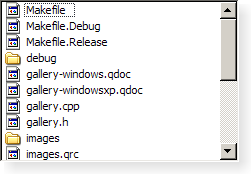
QListWidgetis a convenience class that provides a list view similar to the one supplied byQListView, but with a classic item-based interface for adding and removing items.QListWidgetuses an internal model to manage eachQListWidgetItem在列表中。对于更灵活列表视图 Widget,使用
QListView类采用标准模型。列表 Widget 的构造方式如同其它小部件:
QListWidget *listWidget = new QListWidget(this);
selectionMode()of a list widget determines how many of the items in the list can be selected at the same time, and whether complex selections of items can be created. This can be set with thesetSelectionMode()函数。There are two ways to add items to the list: they can be constructed with the list widget as their parent widget, or they can be constructed with no parent widget and added to the list later. If a list widget already exists when the items are constructed, the first method is easier to use:
new QListWidgetItem(tr("Oak"), listWidget);
new QListWidgetItem(tr("Fir"), listWidget);
new QListWidgetItem(tr("Pine"), listWidget);
If you need to insert a new item into the list at a particular position, then it should be constructed without a parent widget. The
insertItem()function should then be used to place it within the list. The list widget will take ownership of the item.QListWidgetItem *newItem = new QListWidgetItem; newItem->setText(itemText); listWidget->insertItem(row, newItem);For multiple items,
insertItems()can be used instead. The number of items in the list is found with thecount()function. To remove items from the list, usetakeItem().The current item in the list can be found with
currentItem(), and changed withsetCurrentItem(). The user can also change the current item by navigating with the keyboard or clicking on a different item. When the current item changes, thecurrentItemChanged()signal is emitted with the new current item and the item that was previously current.
QListWidget
(
[
parent=None
]
)

- param parent
构造空
QListWidget
采用给定
parent
.
PySide2.QtWidgets.QListWidget.
addItem
(
label
)

label – unicode
PySide2.QtWidgets.QListWidget.
addItem
(
item
)

item
–
QListWidgetItem
插入
item
at the end of the list widget.
警告
A
QListWidgetItem
can only be added to a
QListWidget
once. Adding the same
QListWidgetItem
multiple times to a
QListWidget
will result in undefined behavior.
另请参阅
PySide2.QtWidgets.QListWidget.
addItems
(
labels
)

labels – 字符串列表
Inserts items with the text
labels
at the end of the list widget.
另请参阅
PySide2.QtWidgets.QListWidget.
clear
(
)

移除视图中的所有项和选定。
警告
所有项会被永久删除。
PySide2.QtWidgets.QListWidget.
closePersistentEditor
(
item
)

item
–
QListWidgetItem
Closes the persistent editor for the given
item
.
PySide2.QtWidgets.QListWidget.
count
(
)

int
PySide2.QtWidgets.QListWidget.
currentItem
(
)

返回当前项。
另请参阅
PySide2.QtWidgets.QListWidget.
currentItemChanged
(
current
,
上一
)

current
–
QListWidgetItem
上一
–
QListWidgetItem
PySide2.QtWidgets.QListWidget.
currentRow
(
)

int
另请参阅
PySide2.QtWidgets.QListWidget.
currentRowChanged
(
currentRow
)

currentRow
–
int
PySide2.QtWidgets.QListWidget.
currentTextChanged
(
currentText
)

currentText – unicode
PySide2.QtWidgets.QListWidget.
dropMimeData
(
index
,
data
,
action
)

index
–
int
data
–
QMimeData
action
–
DropAction
bool
Handles
data
supplied by an external drag and drop operation that ended with the given
action
以给定
index
。返回
true
if
data
and
action
can be handled by the model; otherwise returns
false
.
PySide2.QtWidgets.QListWidget.
editItem
(
item
)

item
–
QListWidgetItem
开始编辑
item
若它可编辑。
PySide2.QtWidgets.QListWidget.
findItems
(
text
,
flags
)

text – unicode
flags
–
MatchFlags
Finds items with the text that matches the string
text
using the given
flags
.
PySide2.QtWidgets.QListWidget.
indexFromItem
(
item
)

item
–
QListWidgetItem
QModelIndex
返回
QModelIndex
关联给定
item
.
注意
In Qt versions prior to 5.10, this function took a non-
const
item
.
PySide2.QtWidgets.QListWidget.
indexFromItem
(
item
)

item
–
QListWidgetItem
QModelIndex
返回
QModelIndex
关联给定
item
.
注意
In Qt versions prior to 5.10, this function took a non-
const
item
.
PySide2.QtWidgets.QListWidget.
insertItem
(
row
,
label
)

row
–
int
label – unicode
PySide2.QtWidgets.QListWidget.
insertItem
(
row
,
item
)

row
–
int
item
–
QListWidgetItem
插入
item
at the position in the list given by
row
.
另请参阅
PySide2.QtWidgets.QListWidget.
insertItems
(
row
,
labels
)

row
–
int
labels – 字符串列表
Inserts items from the list of
labels
into the list, starting at the given
row
.
另请参阅
PySide2.QtWidgets.QListWidget.
isItemHidden
(
item
)

item
–
QListWidgetItem
bool
注意
此函数被弃用。
返回
true
若
item
is explicitly hidden; otherwise returns
false
.
This function is deprecated. Use
isHidden()
代替。
PySide2.QtWidgets.QListWidget.
isItemSelected
(
item
)

item
–
QListWidgetItem
bool
注意
此函数被弃用。
返回
true
if
item
is selected; otherwise returns
false
.
This function is deprecated. Use
isSelected()
代替。
PySide2.QtWidgets.QListWidget.
isPersistentEditorOpen
(
item
)

item
–
QListWidgetItem
bool
返回是否打开持久编辑器为项
item
.
PySide2.QtWidgets.QListWidget.
isSortingEnabled
(
)

bool
PySide2.QtWidgets.QListWidget.
item
(
row
)

row
–
int
返回项占据给定
row
在列表中,若有设置;否则返回
None
.
另请参阅
PySide2.QtWidgets.QListWidget.
itemActivated
(
item
)

item
–
QListWidgetItem
PySide2.QtWidgets.QListWidget.
itemAt
(
p
)

p
–
QPoint
返回指针指向项在坐标
p
. The coordinates are relative to the list widget’s
viewport()
.
PySide2.QtWidgets.QListWidget.
itemAt
(
x
,
y
)

x
–
int
y
–
int
这是重载函数。
返回指针指向项在坐标 (
x
,
y
). The coordinates are relative to the list widget’s
viewport()
.
PySide2.QtWidgets.QListWidget.
itemChanged
(
item
)

item
–
QListWidgetItem
PySide2.QtWidgets.QListWidget.
itemClicked
(
item
)

item
–
QListWidgetItem
PySide2.QtWidgets.QListWidget.
itemDoubleClicked
(
item
)

item
–
QListWidgetItem
PySide2.QtWidgets.QListWidget.
itemEntered
(
item
)

item
–
QListWidgetItem
PySide2.QtWidgets.QListWidget.
itemFromIndex
(
index
)

index
–
QModelIndex
返回指针指向
QListWidgetItem
关联给定
index
.
PySide2.QtWidgets.QListWidget.
itemPressed
(
item
)

item
–
QListWidgetItem
PySide2.QtWidgets.QListWidget.
itemSelectionChanged
(
)

PySide2.QtWidgets.QListWidget.
itemWidget
(
item
)

item
–
QListWidgetItem
Returns the widget displayed in the given
item
.
PySide2.QtWidgets.QListWidget.
items
(
data
)

data
–
QMimeData
Returns a list of pointers to the items contained in the
data
object. If the object was not created by a
QListWidget
in the same process, the list is empty.
PySide2.QtWidgets.QListWidget.
mimeData
(
items
)

items –
QMimeData
返回对象包含序列化描述指定通过
items
。用于描述项的格式获取自
mimeTypes()
函数。
若项列表为空,
None
is returned instead of a serialized empty list.
PySide2.QtWidgets.QListWidget.
mimeTypes
(
)

字符串列表
Returns a list of MIME types that can be used to describe a list of listwidget items.
另请参阅
PySide2.QtWidgets.QListWidget.
openPersistentEditor
(
item
)

item
–
QListWidgetItem
Opens an editor for the given
item
. The editor remains open after editing.
PySide2.QtWidgets.QListWidget.
removeItemWidget
(
item
)

item
–
QListWidgetItem
Removes the widget set on the given
item
.
To remove an item (row) from the list entirely, either delete the item or use
takeItem()
.
PySide2.QtWidgets.QListWidget.
row
(
item
)

item
–
QListWidgetItem
int
Returns the row containing the given
item
.
另请参阅
PySide2.QtWidgets.QListWidget.
scrollToItem
(
item
[
,
hint=EnsureVisible
]
)

item
–
QListWidgetItem
hint
–
ScrollHint
Scrolls the view if necessary to ensure that the
item
is visible.
hint
specifies where the
item
should be located after the operation.
PySide2.QtWidgets.QListWidget.
selectedItems
(
)

Returns a list of all selected items in the list widget.
PySide2.QtWidgets.QListWidget.
setCurrentItem
(
item
)

item
–
QListWidgetItem
Sets the current item to
item
.
除非选定模式为
NoSelection
,项还被选中。
另请参阅
PySide2.QtWidgets.QListWidget.
setCurrentItem
(
item
,
command
)

item
–
QListWidgetItem
command
–
SelectionFlags
Set the current item to
item
,使用给定
command
.
PySide2.QtWidgets.QListWidget.
setCurrentRow
(
row
,
command
)

row
–
int
command
–
SelectionFlags
把当前行设为给定
row
,使用给定
command
,
PySide2.QtWidgets.QListWidget.
setCurrentRow
(
row
)

row
–
int
另请参阅
PySide2.QtWidgets.QListWidget.
setItemHidden
(
item
,
hide
)

item
–
QListWidgetItem
hide
–
bool
注意
此函数被弃用。
若
hide
is true, the
item
will be hidden; otherwise it will be shown.
This function is deprecated. Use
setHidden()
代替。
另请参阅
PySide2.QtWidgets.QListWidget.
setItemSelected
(
item
,
select
)

item
–
QListWidgetItem
select
–
bool
注意
此函数被弃用。
Selects or deselects the given
item
depending on whether
select
is true of false.
This function is deprecated. Use
setSelected()
代替。
另请参阅
PySide2.QtWidgets.QListWidget.
setItemWidget
(
item
,
widget
)

item
–
QListWidgetItem
widget
–
QWidget
设置
widget
以显示在给定
item
.
This function should only be used to display static content in the place of a list widget item. If you want to display custom dynamic content or implement a custom editor widget, use
QListView
和子类
QStyledItemDelegate
代替。
PySide2.QtWidgets.QListWidget.
setSortingEnabled
(
enable
)

enable
–
bool
另请参阅
PySide2.QtWidgets.QListWidget.
sortItems
(
[
order=Qt.AscendingOrder
]
)

order
–
SortOrder
Sorts all the items in the list widget according to the specified
order
.
PySide2.QtWidgets.QListWidget.
supportedDropActions
(
)

DropActions
返回由此视图所支持的掉落动作。
另请参阅
DropActions
PySide2.QtWidgets.QListWidget.
takeItem
(
row
)

row
–
int
Removes and returns the item from the given
row
in the list widget; otherwise returns
None
.
Items removed from a list widget will not be managed by Qt, and will need to be deleted manually.
另请参阅
PySide2.QtWidgets.QListWidget.
visualItemRect
(
item
)

item
–
QListWidgetItem
QRect
返回项所占据的视口矩形在
item
.
