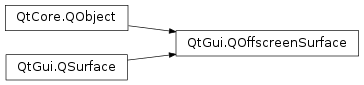
QOffscreenSurfaceclass represents an offscreen surface in the underlying platform. 更多 …
New in version 5.1.
def
create
()
def
destroy
()
def
isValid
()
def
nativeHandle
()
def
requestedFormat
()
def
screen
()
def
setFormat
(format)
def
setNativeHandle
(handle)
def
setScreen
(screen)
def
screenChanged
(screen)
QOffscreenSurfaceis intended to be used withQOpenGLContext以允许在任意线程中采用 OpenGL 进行渲染而无需创建QWindow.Even though the surface is typically renderable, the surface’s pixels are not accessible.
QOffscreenSurfaceshould only be used to create OpenGL resources such as textures or framebuffer objects.应用程序通常会使用
QOffscreenSurfaceto perform some time-consuming tasks in a separate thread in order to avoid stalling the main rendering thread. Resources created in theQOffscreenSurface‘s context can be shared with the main OpenGL context. Some common use cases are asynchronous texture uploads or rendering into aQOpenGLFramebufferObject.How the offscreen surface is implemented depends on the underlying platform, but it will typically use a pixel buffer (pbuffer). If the platform doesn’t implement or support offscreen surfaces,
QOffscreenSurfacewill use an invisibleQWindowinternally.注意
Due to the fact that
QOffscreenSurfaceis backed by aQWindowon some platforms, cross-platform applications must ensure thatcreate()is only called on the main (GUI) thread. TheQOffscreenSurfaceis then safe to be used withmakeCurrent()on other threads, but the initialization and destruction must always happen on the main (GUI) thread.注意
In order to create an offscreen surface that is guaranteed to be compatible with a given context and window, make sure to set the format to the context’s or the window’s actual format, that is, the
QSurfaceFormatreturned fromformat()orformat()after the context or window has been created . Passing the format returned fromrequestedFormat()tosetFormat()may result in an incompatible offscreen surface since the underlying windowing system interface may offer a different set of configurations for window and pbuffer surfaces.注意
Some platforms may utilize a surfaceless context extension (for example EGL_KHR_surfaceless_context) when available. In this case there will be no underlying native surface. For the use cases of
QOffscreenSurface(rendering to FBOs, texture upload) this is not a problem.
QOffscreenSurface
(
[
screen=None
]
)

QOffscreenSurface(screen, parent)
- param parent
QObject- param screen
QScreen
创建离屏表面为
targetScreen
.
不创建底层平台表面直到
create()
被调用。
另请参阅
创建离屏表面为
targetScreen
采用给定
parent
.
不创建底层平台表面直到
create()
被调用。
另请参阅
PySide2.QtGui.QOffscreenSurface.
create
(
)

Allocates the platform resources associated with the offscreen surface.
It is at this point that the surface format set using
setFormat()
gets resolved into an actual native surface.
调用
destroy()
to free the platform resources if necessary.
注意
Some platforms require this function to be called on the main (GUI) thread.
另请参阅
PySide2.QtGui.QOffscreenSurface.
destroy
(
)

Releases the native platform resources associated with this offscreen surface.
另请参阅
PySide2.QtGui.QOffscreenSurface.
isValid
(
)

bool
返回
true
if this offscreen surface is valid; otherwise returns
false
.
The offscreen surface is valid if the platform resources have been successfuly allocated.
另请参阅
PySide2.QtGui.QOffscreenSurface.
nativeHandle
(
)

void
Returns an optional native handle to which the offscreen surface is connected.
另请参阅
PySide2.QtGui.QOffscreenSurface.
requestedFormat
(
)

Returns the requested surfaceformat of this offscreen surface.
If the requested format was not supported by the platform implementation, the will differ from the actual offscreen surface format.
This is the value set with
setFormat()
.
另请参阅
setFormat()
format()
PySide2.QtGui.QOffscreenSurface.
screen
(
)

QScreen
Returns the screen to which the offscreen surface is connected.
另请参阅
PySide2.QtGui.QOffscreenSurface.
screenChanged
(
screen
)

screen
–
QScreen
PySide2.QtGui.QOffscreenSurface.
setFormat
(
format
)

format
–
QSurfaceFormat
Sets the offscreen surface
format
.
The surface format will be resolved in the
create()
function. Calling this function after
create()
will not re-resolve the surface format of the native surface.
PySide2.QtGui.QOffscreenSurface.
setNativeHandle
(
handle
)

handle
–
void
Sets the native handle to which the offscreen surface is connected to
handle
.
The native handle will be resolved in the
create()
function. Calling this function after
create()
will not re-create a native surface.
注意
The interpretation of the native handle is platform specific. Only some platforms will support adopting native handles of offscreen surfaces and platforms that do not implement this support will ignore the handle.
另请参阅
