initDb.h
to
createDb.py

To begin with, port the C++ code that creates an SQLite database and tables, and adds data to them. In this case, all C++ code related to this lives in
initdb.h
. The code in this header file is divided into following parts:
initDb
- Creates a db and the necessary tables
addBooks
- Adds data to the
books
table.
addAuthor
- Adds data to the
authors
table.
addGenre
- Adds data to the
genres
table.
To start with, add these following
import
statements at the beginning of
createdb.py
:
initDb
function does most of the work needed to set up the database, but it depends on the
addAuthor
,
addGenre
,和
addBook
helper functions to populate the tables. Port these helper functions first. Here is how the C++ and Python versions of these functions look like:
Now that the helper functions are in place, port
initDb
. Here is how the C++ and Python versions of this function looks like:
注意
The Python version uses the
check
function to execute the SQL statements instead of the
if...else
block like in the C++ version. Although both are valid approaches, the earlier one produces code that looks cleaner and shorter.
Your Python code to set up the database is ready now. To test it, add the following code to
main.py
and run it:
Use the following command from the prompt to run:
python main.py
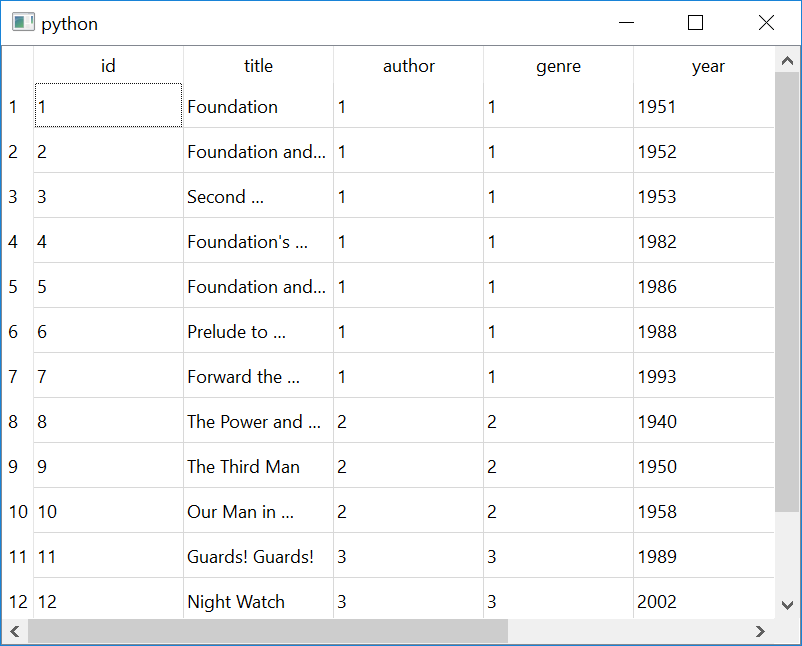
Your table will look like this:
Try modifying the SQL statment in
main.py
to get data from the
genres
or
authors
table.
