继承者: QCDEStyle
PySide.QtGui.QMotifStyle class provides Motif look and feel.
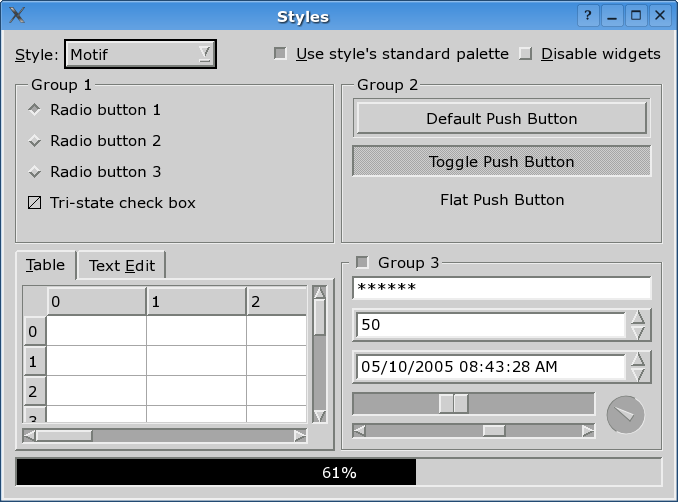
This class implements the Motif look and feel. It closely resembles the original Motif look as defined by the Open Group, but with some minor improvements. The Motif style is Qt's default GUI style on Unix platforms.
| 参数: | useHighlightCols – PySide.QtCore.bool |
|---|
若 useHighlightCols is false (the default), the style will polish the application's color palette to emulate the Motif way of highlighting, which is a simple inversion between the base and the text color.
| 参数: | arg__1 – PySide.QtCore.bool |
|---|
若 arg is false, the style will polish the application's color palette to emulate the Motif way of highlighting, which is a simple inversion between the base and the text color.
The effect will show up the next time an application palette is set via QApplication.setPalette() . The current color palette of the application remains unchanged.
| 返回类型: | PySide.QtCore.bool |
|---|
Returns true if the style treats the highlight colors of the palette in a Motif-like manner, which is a simple inversion between the base and the text color; otherwise returns false. The default is false.

