This is a collection of QML drag and drop examples.
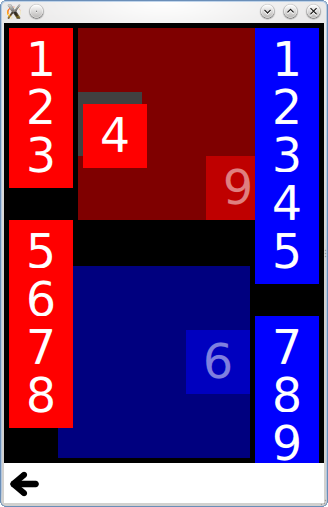
拖放 is a collection of small QML examples relating to the drag and drop functionality. For more information, visit the 拖放 页面。
要运行范例从 Qt Creator ,打开 欢迎 模式,然后选择范例从 范例 . For more information, visit Building and Running an Example.
Tiles adds drag and drop to simple rectangles, which you can drag into a specific grid.
It has a DragTile component which uses a MouseArea to move an item when dragged:
Item {
    id: root
    required property string colorKey
    required property int modelData
    width: 64; height: 64
    MouseArea {
        id: mouseArea
        width: 64; height: 64
        anchors.centerIn: parent
        drag.target: tile
        onReleased: parent = tile.Drag.target !== null ? tile.Drag.target : root
        Rectangle {
            id: tile
            width: 64; height: 64
            anchors.verticalCenter: parent.verticalCenter
            anchors.horizontalCenter: parent.horizontalCenter
            color: root.colorKey
            Drag.keys: [ root.colorKey ]
            Drag.active: mouseArea.drag.active
            Drag.hotSpot.x: 32
            Drag.hotSpot.y: 32
            states: State {
                when: mouseArea.drag.active
                ParentChange { target: tile; parent: root }
                AnchorChanges { target: tile; anchors.verticalCenter: undefined; anchors.horizontalCenter: undefined }
            }
        }
    }
}
And a DropTile component on which the dragged tiles can be dropped:
DropArea {
    id: dragTarget
    property string colorKey
    property alias dropProxy: dragTarget
    width: 64; height: 64
    keys: [ colorKey ]
    Rectangle {
        id: dropRectangle
        anchors.fill: parent
        color: dragTarget.colorKey
        states: [
            State {
                when: dragTarget.containsDrag
                PropertyChanges {
                    target: dropRectangle
                    color: "grey"
                }
            }
        ]
    }
}
The keys property of the DropArea will only allow an item to be dropped on it if it has a matching key in its Drag.keys property.
The ** GridView 范例 adds drag and drop to a GridView , allowing you to visually reorder the delegates without changing the underlying ListModel. It uses a DelegateModel to move a delegate item to the position of another item it is dragged over.
model: DelegateModel {
    delegate: DropArea {
        id: delegateRoot
        required property color color;
        width: 80; height: 80
        onEntered: function(drag) {
            visualModel.items.move((drag.source as Icon).visualIndex, icon.visualIndex)
        }
        property int visualIndex: DelegateModel.itemsIndex
        Icon {
            id: icon
            dragParent: root
            visualIndex: delegateRoot.visualIndex
            color: delegateRoot.color
        }
    }
