展示由 Qt 3D 提供的 4 个基本形状,并为每个形状设置网格。
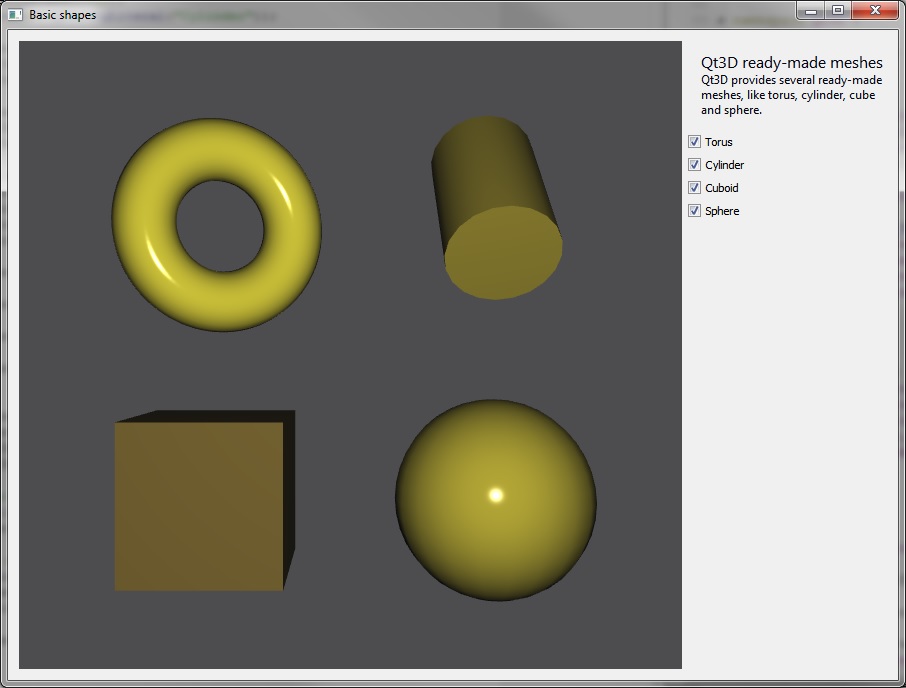
基本形状 shows four basic shapes that Qt 3D offers: a torus, a cylinder, a cube, and a sphere. The example also shows how to embed a Qt 3D scene into a widget and connect with other widgets.
要运行范例从 Qt Creator ,打开 欢迎 模式,然后选择范例从 范例 . For more information, visit Building and Running an Example.
例如,了解如何设置环形网格。首先,实例化
QTorusMesh, and then we set the mesh specific parameters, which for torus are radius, minor radius, and the number of rings and slices.m_torus = new Qt3DExtras::QTorusMesh(); m_torus->setRadius(1.0f); m_torus->setMinorRadius(0.4f); m_torus->setRings(100); m_torus->setSlices(20);The size and position of the torus can be adjusted with transform components. We create scale, translation, and rotation components and add them into the
QTransform组件。Qt3DCore::QTransform *torusTransform = new Qt3DCore::QTransform(); torusTransform->setScale(2.0f); torusTransform->setRotation(QQuaternion::fromAxisAndAngle(QVector3D(0.0f, 1.0f, 0.0f), 25.0f)); torusTransform->setTranslation(QVector3D(5.0f, 4.0f, 0.0f));To change the diffuse color of the mesh, we create a
QPhongMaterialand set its diffuse color.Qt3DExtras::QPhongMaterial *torusMaterial = new Qt3DExtras::QPhongMaterial(); torusMaterial->setDiffuse(QColor(QRgb(0xbeb32b)));The final step is to add the torus into an entity tree, and we do that by creating a
QEntitywith a parent entity and adding the previously created mesh, material, and transform components into it.m_torusEntity = new Qt3DCore::QEntity(m_rootEntity); m_torusEntity->addComponent(m_torus); m_torusEntity->addComponent(torusMaterial); m_torusEntity->addComponent(torusTransform);We can control the visibility of the entity by defining whether it has a parent or not. That is, whether it is part of an entity tree or not.
void SceneModifier::enableTorus(bool enabled)
{
    m_torusEntity->setEnabled(enabled);
}
